Seamless integration
Install one always-up-to-date npm package and call it from your existing stack. No SDK rewrite, no vendor runtime.
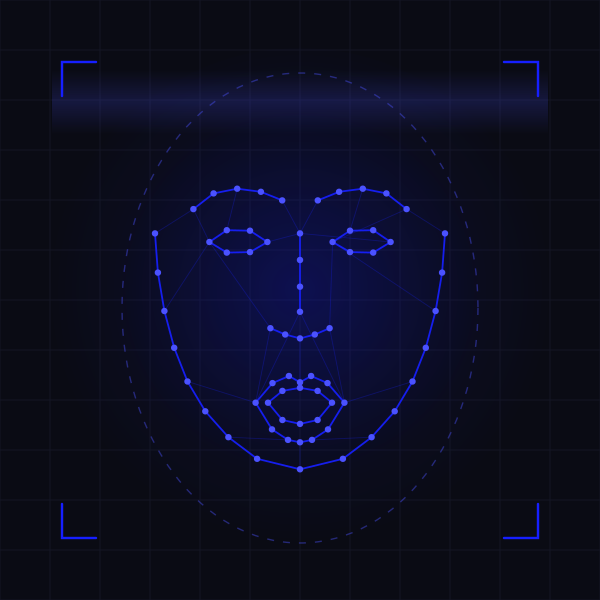
Face Auth is a face recognition API for web and mobile apps: face detection, matching, liveness detection and anti-spoofing in a single npm package, returning a verdict in under a second.
Free forever — 500 verifications per month, no credit card.
Why Face Auth
No models to train, no infrastructure to size, no biometric data to store yourself.
Install one always-up-to-date npm package and call it from your existing stack. No SDK rewrite, no vendor runtime.
Detection, matching and liveness resolve in under one second, so a login feels like a login and not like a wait.
The backend absorbs over one million verified users per month without you provisioning a single instance.
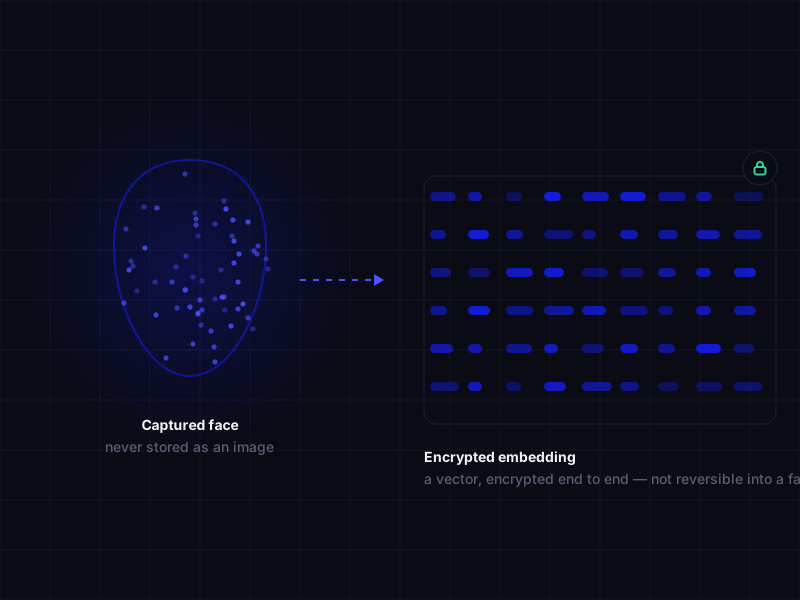
Face embeddings are encrypted end to end. Nothing in the pipeline can be reversed back into a usable face.
1M+
Verified users per month
Capacity the platform handles today without manual scaling.
<1s
End-to-end verification
From uploaded frame to match decision, including liveness.
>95%
Recognition accuracy
Measured precision; varies with lighting, framing and image quality.
68
Facial landmarks
Detected per face for alignment, expression and geometry checks.
Capabilities
Twelve operations behind one key. Turn on what your flow needs and ignore the rest.
How it works
Sign up, take your API key, and call the package. There is no model to host and no queue to manage.
STEP 01
One dependency, kept current for you. Works in Node and in the browser.
$ npm install @face-auth/face-idSTEP 02
Send a frame with your API key. You get identity, liveness and confidence back.
import { verify } from '@face-auth/face-id'

const result = await verify({
  image: frame,
  userId: 'usr_8241',
  checks: ['liveness', 'antiSpoof']
})
STEP 03
Branch on the verdict, or let a webhook push it into your backend.
// result
{
  match: true,
  confidence: 0.997,
  liveness: 'passed',
  landmarks: 68,
  latencyMs: 412
}
Live demo
Not a video, not a mock. The snippets below are the code that executes. Edit them and press Run: the page reads whatever is on screen and runs exactly that, loading the real packages from npm. Reloading brings the originals back.
Runs against the shared 4demo.face-auth.me test tenant, not a production account.
Enrols a face under an id you choose. That id is exactly what identify hands back later.
import { FaceId } from '@face-auth/face-id'
import { FaceVideo } from '@face-auth/face-id-video'
import { FaceGuidelines } from '@face-auth/face-id-video-guidelines'

const el = document.querySelector('#demo-video-register')
const video = new FaceVideo(el)

// Wait for the camera before capturing a frame.
await new Promise((ready) => {
  video.onCameraStarted(() => {
    new FaceGuidelines(el).start()
    ready()
  })
  video.start()
})

const api = new FaceId('4demo.face-auth.me', '6f08e5f7-c72c-44fe-9361-e3234164754b')
const shot = await video.capture({})
const faceId = document.querySelector('#face-id-register').value

export default await api.register(faceId, shot.blob, shot.imageType)Press Run to enrol the face in front of the camera under the id on the left.Answers who is this? Captures a frame and matches it against every face enrolled on the tenant.
import { FaceId } from '@face-auth/face-id'
import { FaceVideo } from '@face-auth/face-id-video'
import { FaceGuidelines } from '@face-auth/face-id-video-guidelines'

const el = document.querySelector('#demo-video')
const video = new FaceVideo(el)

// Wait for the camera before capturing a frame.
await new Promise((ready) => {
  video.onCameraStarted(() => {
    new FaceGuidelines(el).start()
    ready()
  })
  video.start()
})

const api = new FaceId('4demo.face-auth.me', '6f08e5f7-c72c-44fe-9361-e3234164754b')
const shot = await video.capture({})

export default await api.identify(shot.blob, shot.imageType)Press Run. If no face is enrolled on the tenant, an unknown face is the expected answer.Deletes an enrolled face by id. The stored embedding is removed and that person stops matching.
import { FaceId } from '@face-auth/face-id'

// No camera needed: this only removes a stored embedding.
const api = new FaceId('4demo.face-auth.me', '6f08e5f7-c72c-44fe-9361-e3234164754b')
const faceId = document.querySelector('#face-id-unregister').value

export default await api.unregister(faceId)Press Run to delete the enrolment stored under that id.The whole flow in one call: camera, coaching on lighting and framing, capture and verify.
import { openVerify } from '@face-auth/face-auth-wizard'

// This exact snippet is what runs when you press Run.
const result = await openVerify({
  domain: '4demo.face-auth.me',
  clientToken: '6f08e5f7-c72c-44fe-9361-e3234164754b',
  mount: '#face-auth'
})

export default resultPress Run. The wizard opens, walks the capture, and the value of the default export lands here.Guided capture
A face that fails to match is usually a face that was captured badly: too dark, too far, turned away, half out of frame. The wizard catches all of that before the frame is ever sent, so the matcher only sees images worth matching.
Security & privacy
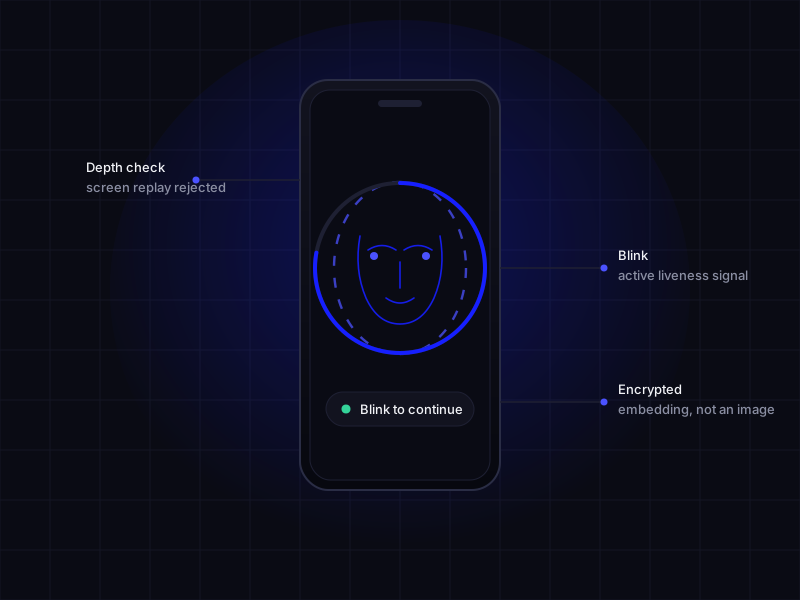
A face is not a password: it cannot be rotated after a breach. Face Auth is built so that the sensitive part never sits unprotected — not on your servers, and not on ours.
Reports & integrations
Dashboards for the humans, webhooks for the systems, one package for the code.
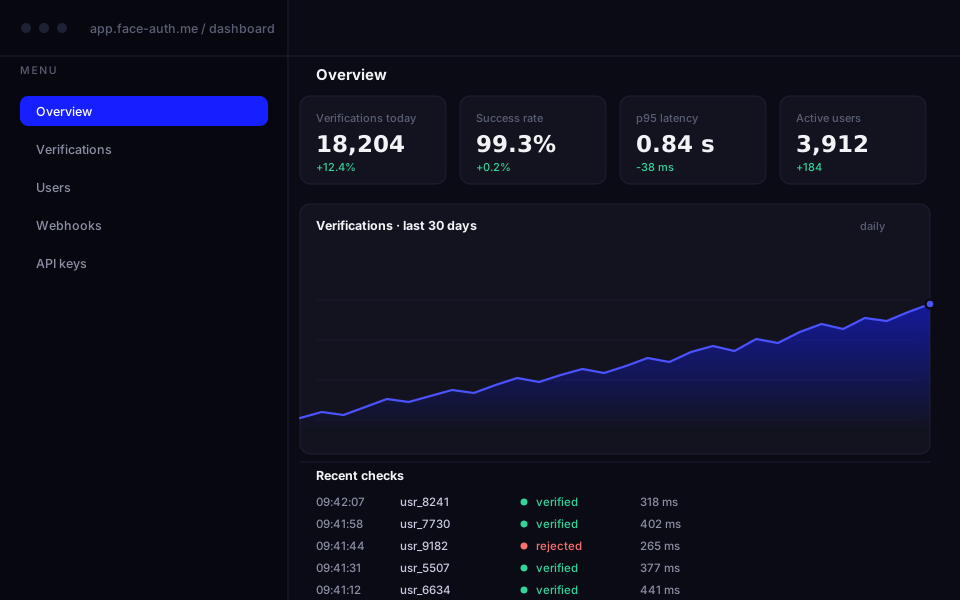
Detailed reports and analytics to monitor volume, success rate and latency across your account.
Real-time events pushed to your endpoint, so verification results drive your automation without polling.
Five packages under the @face-auth scope wrap the API with minimal configuration. See the list.
Packages
Every piece is published on npm under the @face-auth scope. Start with the meta-package and it pulls the rest, or take just the one that solves your problem.
@face-auth/face-id
core
Authenticates a user by facial recognition through the camera of a laptop or phone. This is the package the code examples above use.
Depends on socket.io-client
@face-auth/face-auth-wizard
guided
Renders and orchestrates the guided verification wizard: the camera flow, the on-screen coaching and the call to the backend, in one mount.
Depends on @face-auth/face-auth, react, xstate
Lightweight face detection over a browser video stream, with callbacks for face presence, capture quality and bounding boxes.
Depends on @mediapipe/tasks-vision
Captures stills from a webcam stream: camera selection, image formatting and output shaped for the verification call.
No dependencies
Draws on-screen guides over the live video so people position their face correctly before the capture — fewer retries, cleaner frames.
No dependencies
Pricing
Every plan includes the npm package and the dashboard. Prices in US dollars.
For a proof of concept or a side project.
$0/month
Free forever
Try free foreverFor a product with its first real users.
$6/month
Billed yearly
Get startedFor production traffic that has to hold up.
$75/month
Billed yearly
Get startedFor volume, custom terms and a signed SLA.
Custom
Talk to us about volume
Contact us| Limit or feature | Free | Basic | Pro | Enterprise |
|---|---|---|---|---|
| Price per month (billed monthly) | $0 | $7 | $88 | Custom |
| Price per month (billed yearly) | $0 | $6 | $75 | Custom |
| Verifications per month | 5000 | 15,000 | 300,000 | Unlimited |
| Users per month | 20 | 200 | 4,000 | Unlimited |
| Face detection and recognition | Yes | Yes | Yes | Yes |
| Emotion and age estimation | No | Yes | Yes | Yes |
| Liveness detection | No | Yes | Yes | Yes |
| Full anti-spoofing and eye blink | No | No | Yes | Yes |
| Webhooks and SLA | No | No | No | Yes |
| Support | Docs | Dedicated |
FAQ
To use the Face Auth API, create an account, take the API key from your dashboard and send it with every request. From there you call the API methods to analyse images or video. The fastest path is the @face-auth/face-id npm package, which wraps the calls and ships with full documentation covering each integration step.
Face detection finds and locates faces inside an image or video; face recognition goes one step further and identifies or verifies a person by comparing a detected face against known faces. Detection answers "is there a face and where"; recognition answers "whose face is it".
Yes. Emotion estimation is included from the Basic plan upward and detects expressions such as happiness, sadness, anger and fear from a detected face.
Liveness detection confirms that the face in front of the camera belongs to a live person rather than a photo, a mask or a replayed video, which is what stops the most common presentation attacks and reduces fraud.
Face Auth recognition runs at precision rates above 95%. Real-world accuracy moves with image quality, lighting conditions and how far the face is turned away from the camera, so a controlled capture step raises results noticeably.
A full verification, liveness included, resolves in under one second. Throughput and response time depend on the plan: higher tiers carry more requests per month and more processing capacity.
Yes. Face Auth encrypts data in transit and at rest and follows current industry practice for handling biometric information, so no raw biometric material is exposed at any point in the pipeline.
Face encodings, also called embeddings, are stored in encrypted databases. Encryption is end to end, so the stored vectors cannot be read by unauthorised parties or reversed into a usable image of a face.
The Basic plan includes email support. Pro and Enterprise add priority support, and Enterprise customers also get a dedicated account manager and a signed SLA.
Free forever plan, 500 verifications a month, no credit card. The package is one install away.